Features
Integrations
300+ connectors to power your business processes
Volubile AI agents natively integrate with over 300 market tools and trigger concrete actions before, during and after each call.

600+
Native connectors: CRM, ticketing, calendars, ERP, BI, AI
No-code
Zero developer required to connect your tools
At every moment
Before, during, after. The agent acts at every stage of the call

300+ Integrations
Native connectors, configurable in low-code
Volubile AI agents integrate natively or via API and webhooks with your existing tools, without modifying your application architecture.
CRM & Customer Management
Salesforce, HubSpot, Pipedrive. Agents read and write to your CRM in real-time.
Ticketing & Support
Zendesk, Jira, Asana. Automatic ticket creation, status updates, and escalation.
Calendars & Scheduling
Google Calendar, Outlook, Calendly. Check availability and confirm appointments directly during the call.
Internal Systems
ERP, proprietary databases, custom-built tools. Connect via RESTful API or webhooks.
Actionability
Personalized experience and automated business processes
During the call, Volubile AI agents access your APIs, databases and complex systems in real time to deliver an accurate, up-to-date response with no perceptible delay.

Before the Call
AI agents query your systems to retrieve relevant data before picking up: customer information, interaction history, case status. Every call starts with complete caller context.
During the Call
Agents access your APIs and databases in real-time to provide accurate and up-to-date responses: warranty verification, history lookup, appointment availability. Data shown to the caller always reflects your actual system state.
Post-Call Actions
Follow-up actions are orchestrated automatically: CRM updates, summary email or SMS, ticket creation, human agent notification.
03 · LOW-CODE AUTOMATION
Business workflows configured without development
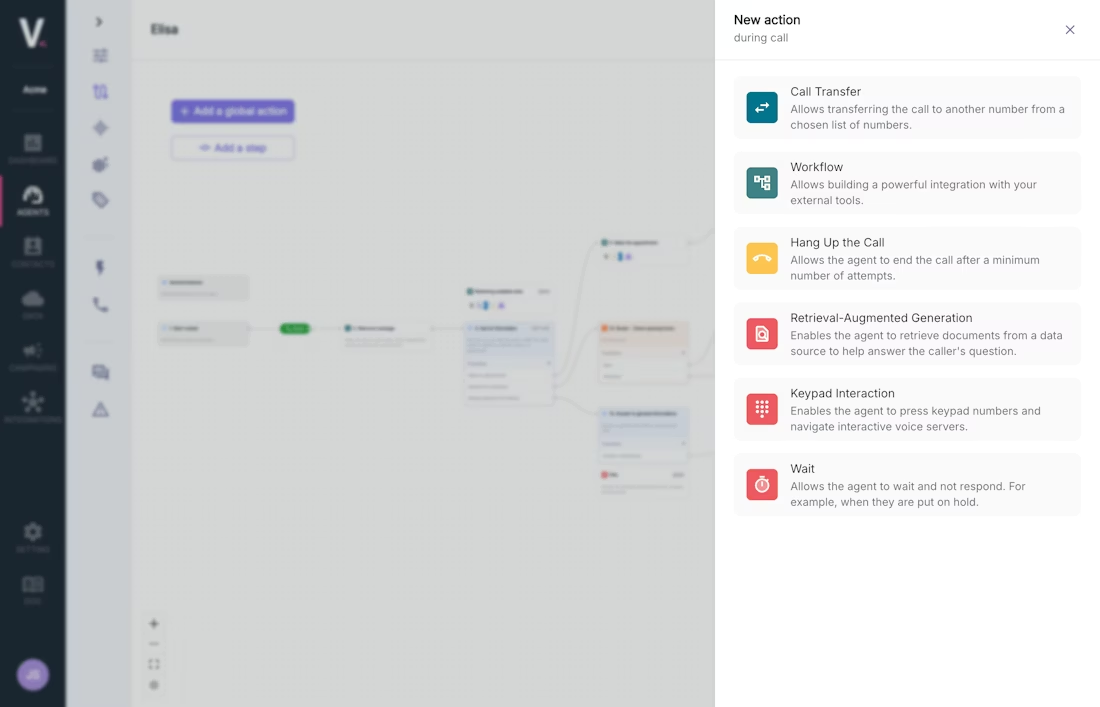
Define in a few clicks what triggers based on call type, customer profile or conversation outcome. No complex conditional logic to code.
Low-Code Workflows
Define in a few clicks what should happen based on call type, customer profile, conversation outcome, or detected data. No development required.
Direct Process Activation
Calls don't stop at conversation: they trigger useful actions in your operational tools immediately after the call ends.
04 · ENTERPRISE READY
Built for enterprise environments
Heterogeneous tools, internal applications, specific business rules. Volubile integrations work without any overhaul project.
Real-Time Read and Write
The agent reads necessary data and writes updates directly into your systems during the conversation, ensuring personalized responses and consistent actions.
No Architecture Disruption
You don't replace your tools: you activate them better. Volubile AI agents integrate seamlessly into your existing ecosystem without major refactoring or architectural changes.
Conversation Becomes Execution
Every call actually moves your systems and processes forward. Not a response—a concrete action, executed directly in your operational tools.
Authentication & Enterprise Security
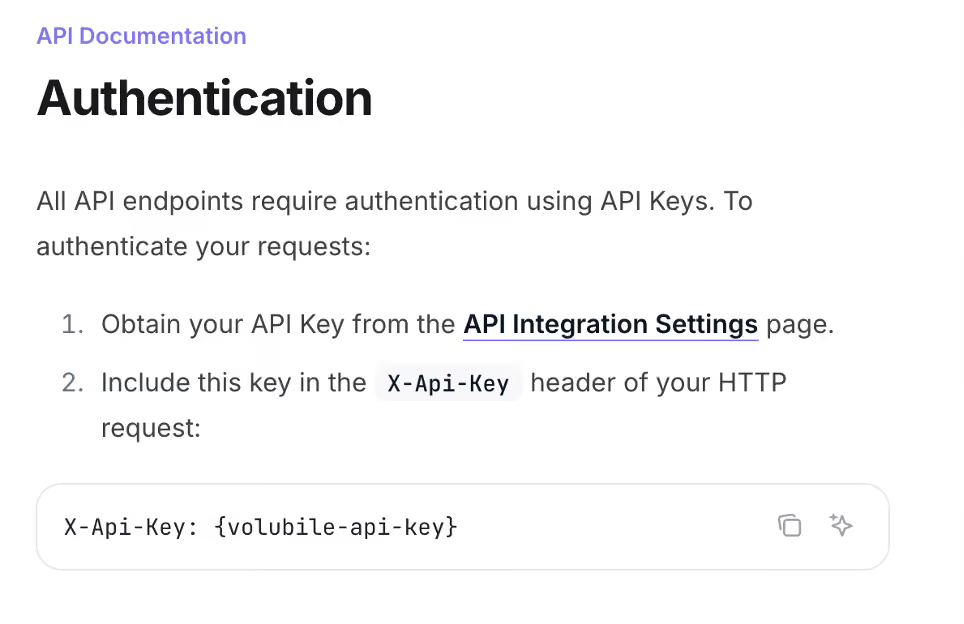
Les connexions aux API tierces sont authentifiées via OAuth 2.0, clés API ou Basic Auth. Les credentials sont chiffrés au repos et en transit. Aucune donnée client ne transite par des serveurs tiers non autorisés.

AIDe & Support
Questions fréquentes
Tout ce que vous devez savoir sur les agents vocaux IA Volubile.
Encore une question ? Contactez-nous.
Volubile se connecte-t-il à notre CRM sans développement ?
Oui. Volubile peut se connecter à votre CRM sans développement lorsqu'il fait partie des connecteurs natifs disponibles, comme Salesforce, HubSpot, Pipedrive ou Zoho. La connexion se configure depuis l'interface en quelques minutes : authentification sécurisée, sélection des données à lire ou à mettre à jour, puis test en temps réel avant la mise en production.
Pour les applications non disponibles dans le catalogue, une connexion reste possible via API REST ou webhooks.
Que se passe-t-il si notre outil n'est pas dans le catalogue ?
Ce n'est pas un problème. Si votre application dispose d'une API REST ou prend en charge les webhooks, elle peut être connectée à Volubile, même si elle ne figure pas parmi les connecteurs disponibles.
Nos équipes configurent l'authentification (OAuth 2.0, clés API ou autres mécanismes de sécurité) ainsi que les appels nécessaires afin que votre agent vocal IA puisse lire ou mettre à jour les données avant, pendant ou après une conversation. Vous pouvez ainsi intégrer vos applications métier tout en conservant votre architecture existante.
L'agent peut-il lire ET écrire dans notre CRM pendant l'appel ?
Oui. Votre agent vocal IA peut consulter votre CRM en temps réel pendant la conversation afin de récupérer la fiche client, l'historique des échanges, les commandes ou le statut d'un dossier. Il peut également écrire dans le CRM en mettant à jour des champs, en créant des notes d'appel, en modifiant un statut ou en enregistrant automatiquement les informations collectées, sans intervention humaine.
Cette synchronisation garantit des données toujours à jour et évite les ressaisies après chaque appel.
Comment fonctionne la prise de RDV automatique pendant un appel ?
Votre agent vocal IA consulte les disponibilités de votre agenda en temps réel via les API de Google Calendar, Outlook, Calendly ou de votre solution métier. Il propose les créneaux disponibles, confirme le rendez-vous choisi avec l'appelant puis crée automatiquement l'événement dans votre calendrier.
La prise de rendez-vous s'effectue sans intervention humaine, avec une confirmation immédiate et une synchronisation automatique des informations pour éviter les doubles réservations et garantir une expérience fluide.
Les intégrations fonctionnent-elles en temps réel pendant l'appel ?
Oui. Les intégrations sont exécutées en temps réel pendant la conversation afin que votre agent vocal IA puisse interroger vos applications sans interrompre l'échange. Il peut par exemple consulter une base de données, vérifier une disponibilité, récupérer les informations d'un client dans votre CRM ou contrôler un stock pendant que l'appelant parle.
Cette exécution en temps réel permet de personnaliser les réponses, d'automatiser les actions métier et d'offrir une expérience fluide, sans temps d'attente perceptible pour l'utilisateur.
Peut-on configurer des workflows différents selon le résultat de l'appel ?
Oui. Vous pouvez créer des workflows métier conditionnels selon le résultat de chaque conversation. Par exemple, si un appel est classé comme une réclamation, Volubile peut créer automatiquement un ticket dans Zendesk. Si un prospect est qualifié, il peut créer une opportunité dans Salesforce, notifier un commercial ou déclencher une campagne de suivi.
Toutes ces règles sont configurées sans développement depuis l'interface afin d'automatiser vos processus métier et d'adapter les actions à chaque scénario de conversation.
Les credentials de connexion aux APIs tierces sont-ils sécurisés ?
Oui. Les identifiants utilisés par votre agent vocal IA (clés API, jetons OAuth et identifiants de connexion) sont protégés par des mécanismes de chiffrement en transit et au repos. Ils ne sont jamais affichés en clair dans l'interface, ni exposés dans les journaux d'événements.
Les connexions aux applications tierces respectent les standards du marché, notamment OAuth 2.0 lorsqu'il est disponible, afin de garantir un niveau élevé de sécurité pour chaque intégration. Cette approche permet de connecter vos outils métier tout en respectant les meilleures pratiques de sécurité et de conformité.
Peut-on connecter plusieurs outils sur un même agent ?
Oui. Un même agent IA peut interroger plusieurs systèmes en parallèle afin de fournir une réponse contextualisée. Il peut par exemple consulter un CRM pour identifier le client, vérifier les disponibilités dans un calendrier, récupérer des informations dans un ERP ou interroger une base de connaissances avant de répondre.
Toutes ces connexions sont orchestrées pendant la conversation afin de proposer une réponse cohérente et d'automatiser vos processus métier. Les intégrations sont configurables sans développement complexe et peuvent évoluer selon vos besoins.
Comment tester une intégration avant de la déployer en production ?
Depuis Agent Builder, vous pouvez tester l'ensemble de vos intégrations avant leur mise en production. Simulez un appel complet, vérifiez les échanges avec vos outils métier, contrôlez les lectures et écritures dans votre CRM et validez le déclenchement de vos workflows sans impacter vos utilisateurs.
Les appels API peuvent être dirigés vers un environnement de test ou de staging afin de vérifier le bon fonctionnement des scénarios, des webhooks et des automatisations avant leur déploiement. Cette approche permet de sécuriser chaque évolution de votre IA conversationnelle tout en garantissant la fiabilité de vos processus métier.
Volubile peut-il déclencher des actions dans des outils no-code comme Make ou Zapier ?
Oui. Volubile peut déclencher automatiquement des actions dans Make, Zapier ou toute plateforme compatible avec les webhooks et les API. Après chaque conversation, votre agent vocal IA peut envoyer les données collectées vers vos outils métier afin d'automatiser vos processus sans développement spécifique.
Vous pouvez par exemple créer ou mettre à jour une fiche dans votre CRM, envoyer une notification Slack, alimenter Google Sheets, créer un ticket dans votre outil de support, déclencher un email via Brevo ou lancer n'importe quel workflow métier. Les automatisations sont configurables en quelques minutes et s'intègrent à plus de 600 applications.
They trust us


.avif)